![podaris_logo_png.png]](https://support.podaris.com/hs-fs/hubfs/podaris_logo_png.png?height=50&name=podaris_logo_png.png)
Common Warnings and Errors and How to Fix Them
"Could not prepare network" error
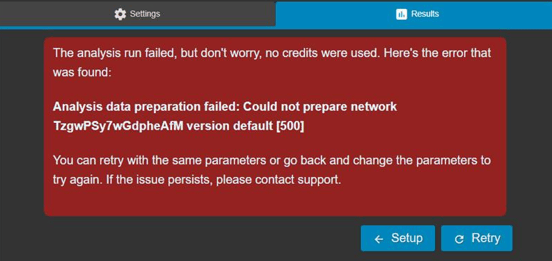
This error relates to a network build issue. It can commonly occur when the network you are using for an Insight analysis is very large, or when there is an error in the network (for example a transport layer has been deleted but is still being referenced in route patterns in the network).
If you experience this error you can get in touch with one of our team at support@podaris.com and we will take a look at your network and identify and resolve the network specific issue causing this error for you.
"points[x]" must contain at most 2 items
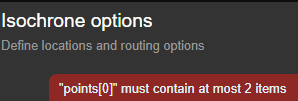
This error may occur when attempting to import a dataset that has a third "z-value", e.g. longitude, latitude, and elevation.
To fix this error you need to drop the z-value from your dataset. This can be done in QGIS; the "Drop M/Z Values" function in the QGIS Processing Toolbox can assist in stripping the z-value from your dataset.
To access this function in QGIS, from the title bar click the following buttons:
Processing > Toolbox > Vector Geometry > Drop M/Z Values
"Cannot read properties of undefined" error
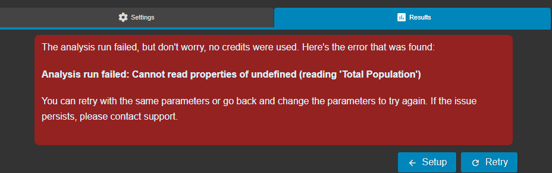
When running some analysis types in Podaris:Insight, if a dataset is used that is empty then the analysis run will fail with a "Cannot read properties of undefined" error.
This can occur, for example, when setting up and running an analysis with an empty dataset that you've added into the dataset queries section, or with an empty dataset that you're querying on as a destination dataset for isochrone analysis.
If you encounter this error, check all the datasets included within your analysis set up to identify if any are empty. If you find an empty dataset, either update it so that it is not empty or remove from the analysis set-up. Once you have done this, re-try running your analysis.
"Too many source-target pairs (). Maximum is 250000" error
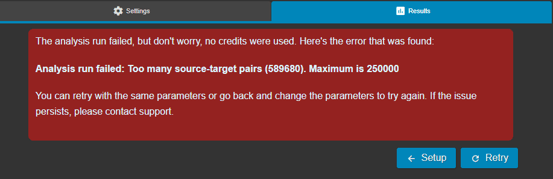
This error can occur when you run an Accessibility Index analysis, Difference Accessibility Index analysis, or Multi-Criteria Index analysis.
It occurs when the number of source-target pairs, that is the number of points in the Zones dataset multiplied by the number of points in the Targets dataset, exceeds the calculation limit of 250,000.
If you encounter this error, first consider whether you can reduce the size of the Zones dataset or Targets dataset that you are using in order to take the number of source-target pairs below 250,000.
If you cannot reduce the size of either of these datasets, or to do so would lead to a lengthy process of many individual analysis runs, then get in touch with the team at support@podaris.com and we can discuss how best to set-up and run your analysis.
Analysis Execution Log
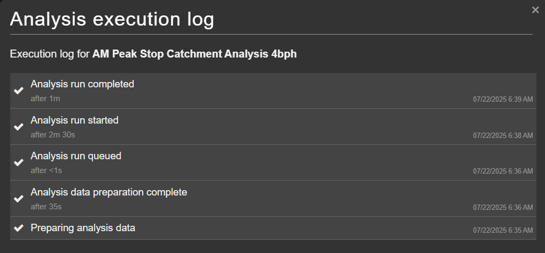
The Analysis Execution Log lets you review what happened during an analysis run after it has completed. It provides a clear, step-by-step record of the analysis process, including how long each step took to run.
This helps you understand performance, diagnose delays, and confirm that all steps completed successfully.
How to Open the Execution Log
-
Run an analysis in Podaris:Insight as usual
-
Once the analysis is complete, open the More actions menu on the analysis via the 3 vertical dots icon in the results page
-
Click View execution log to open the Analysis Execution Log
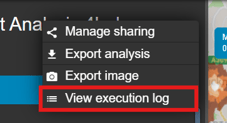
The execution log button only appears after the analysis has finished.