![podaris_logo_png.png]](https://support.podaris.com/hs-fs/hubfs/podaris_logo_png.png?height=50&name=podaris_logo_png.png)
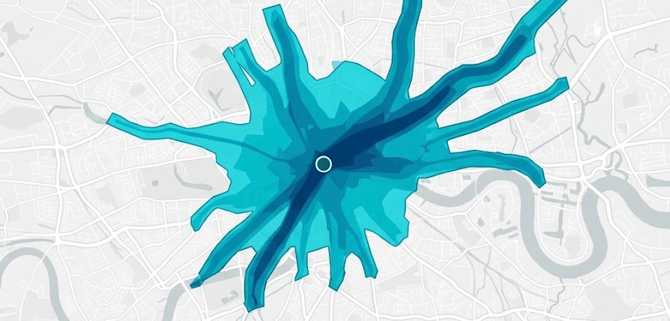
What is Podaris:Insight?
Podaris:Insight is a toolkit for simplifying a number of types of accessibility analysis. It is designed to dramatically speed up the process of performing accessibility analysis on networks and datasets created or imported in Podaris. It provides a simple interface through which analysis projects can be created and shared, and the corresponding results exported. You can learn more about Podaris:Insight and the analysis types that it offers here.
What is the Direct Connectivity analysis type?
The Direct Connectivity Analysis is designed to help planners understand the strength of direct public transport connections across a network, measuring which origin zones have direct reach to key destinations and where transfer-free travel is limited or absent.
Unlike isochrone-based accessibility analyses that measure the total area or opportunities reachable from a point, the Direct Connectivity Analysis focuses specifically on the availability of zero-transfer journeys between defined origin-destination zone pairs.
What problem does it solve?
This analysis type is built to answer questions such as:
- Which neighbourhoods have strong direct reach to key destinations?
- Where are people forced into indirect journeys because no direct service exists?
- Which origin zones are best served during a given time window?
- How does direct access vary when focusing on specific destination groups, such as employment centres, schools, hospitals, or priority investment areas?
It supports both internal network planning decisions and the communication of service quality to stakeholders.
Step by Step
1. Select the network context
Choose the network view to analyse. This determines the transport services and geography used throughout the analysis.
2. Select origin and destination datasets
Choose one dataset for origins and one for destinations. The same dataset can be used for both if desired. You can also add a query to filter to only certain origin and/or destination zones. Please note that the number of origin-destination pairs are capped at 10 million.
3. Set the service window and access assumptions
Define the parameters for the analysis, including:
- day of week
- start and end time. The analysis only keeps trips whose departure time is between start and end time (inclusive), and uses the window to compute frequency (vehicles per hour).
- maximum walking distance to and from transit stops
- whether access is measured from the zone boundary or the zone centroid. If zone boundary is chosen, all stops within the maximum walking distance of any point on or inside the zone will be considered as a valid boarding point.
- walking distance interpretation mode (straight-line or street-based). If access is measured from zone boundary, only straight-line is possible.
4. Add destination dataset queries
If you wish to quantify accessibility, add a dataset and an associated query to, for example, understand the total population reachable from an origin zone without transfer.
5. Run the analysis
Once configured, run the analysis to generate results. The results experience is layered across three levels of detail, as explained below.
Interpreting results
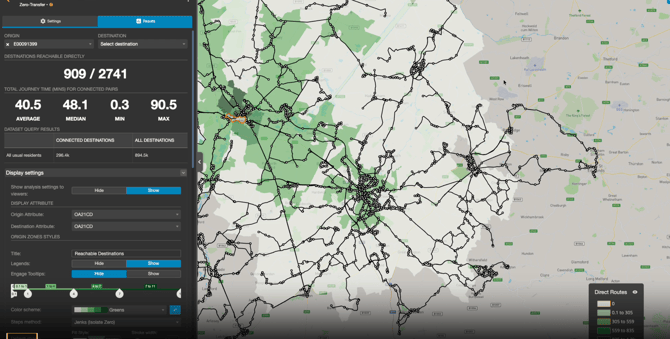
The results page presents direct-connectivity findings across three progressively detailed levels.
The Overview level displays all origin zones at once, each scored and visualised with direct-connectivity measures. These include the number of reachable and unconnected destinations, total direct path opportunities, best direct journey time, and journey-time distribution statistics. This gives a fast view of where direct service is strong or weak across the full network.
The Origin level, which activates when you click an origin zone or select one with the dropdown, focuses on a single selected origin, showing the number of connected destinations versus the total, a journey-time summary for connected pairs, and optional query-based destination summaries. This view makes it straightforward to evaluate one origin's direct access profile against the full destination set.
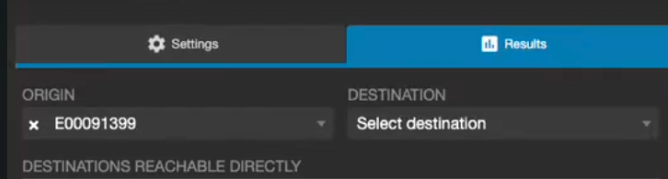
The Origin-Destination level, which activates when you have both an origin and destination selected, drills into a specific origin-destination combination, providing the number of direct routes connecting the pair, boarding and alighting stop coverage, a journey-time variation chart, and a grouped route list showing route identity, mode, trip time range, service frequency, and stop-level detail. This is the diagnostic view for understanding precisely how a direct link is delivered.
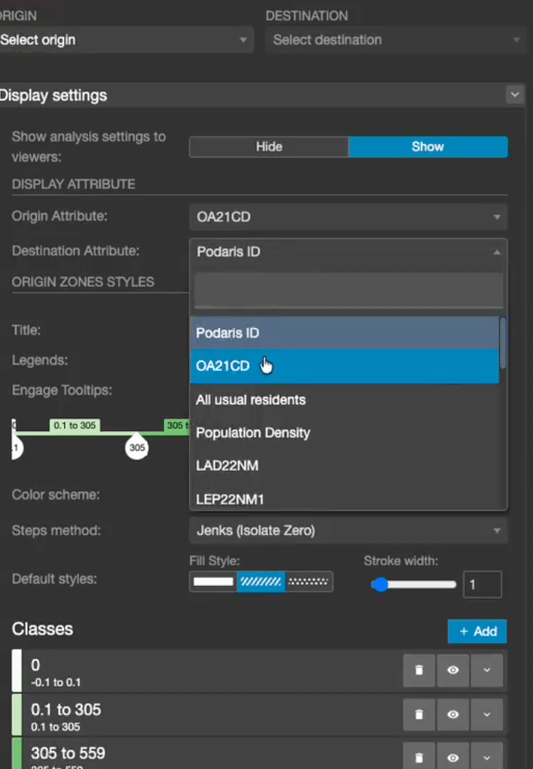
You can change how origins and destination zones are displayed by changing the origin and destination attributes as follows:
Exporting results
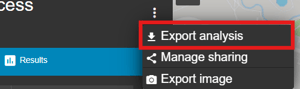
Analyses can be exported by clicking the three dots at the top of the results page and selecting export analysis. Available export formats include:
- Origin Zones (GIS): spatial origin layer with direct-connectivity metrics and query results
- Summary (CSV): one row per origin with core direct-connectivity indicators
- OD Matrix (CSV): one row per connected origin-destination pair with journey and frequency metrics
These formats support both map-based workflows and tabular analysis outside the platform.